

How Essential Physical Scene Drives Digital Forensics
Digital Evidence Does Not Exist in Isolation
Additionally, a digital forensic investigation often begins with a device, a CCTV recording, or a server.
It may also involve a mobile phone or a compromised website, greyhawk manila.
However, one of the most overlooked sources of evidence is the physical environment where the digital evidence originated (greyhawk manila).
Additionally, a CCTV camera has a physical location.
Moreover, a server sits inside a facility.
Furthermore, a workstation connects to a network.
Additionally, a mobile device may be recovered from a specific location.
Thus, a compromised access point may reveal physical access routes, including greyhawk manila.
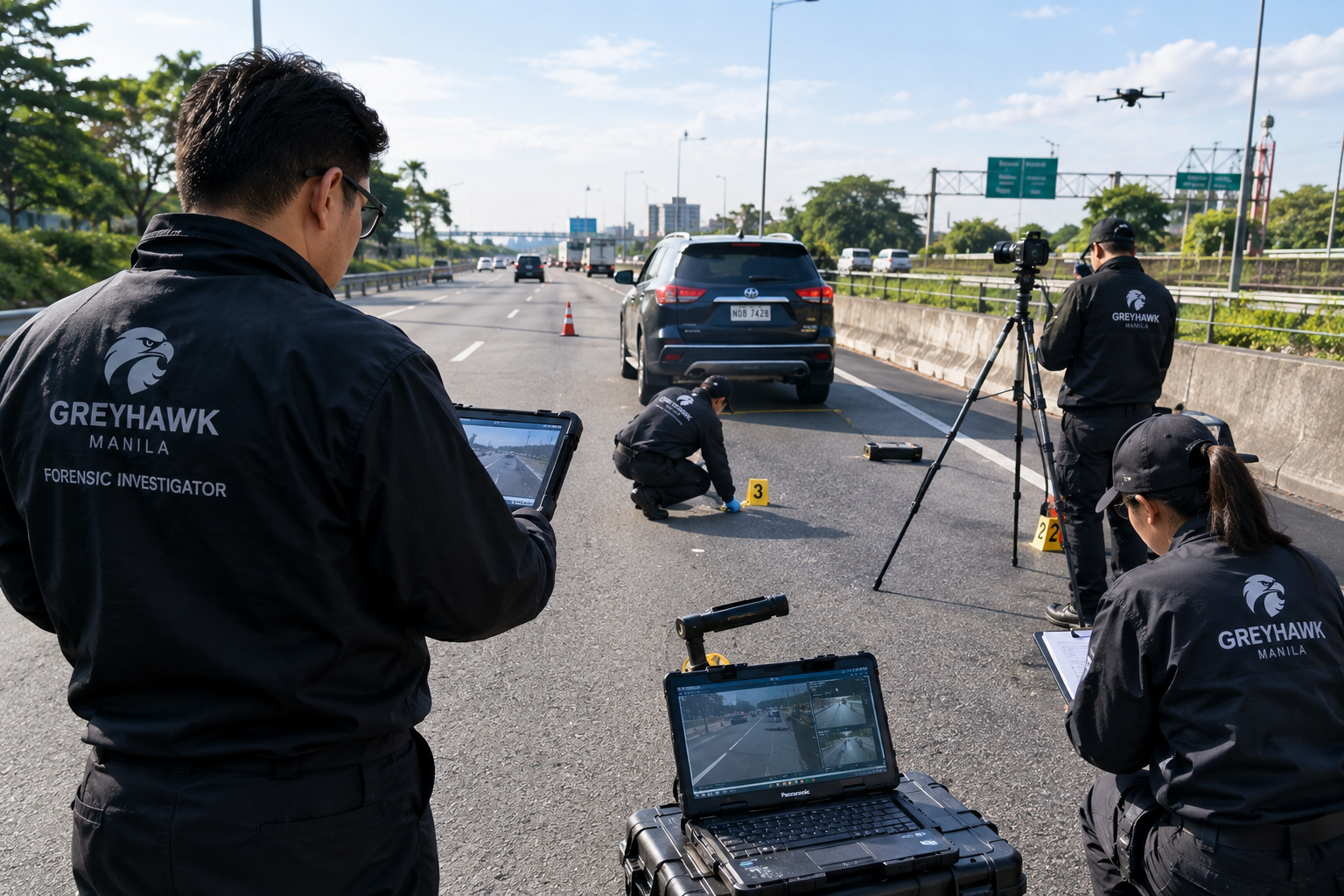
For this reason, Greyhawk Manila incorporates Site Ground Investigation into appropriate digital forensic engagements.
The objective is to connect:
Digital Evidence ↔ Physical Environment ↔ Technical Infrastructure ↔ Timeline
This allows investigators to understand not only what a digital record shows, but also how, where, and under what physical conditions that record was created.
What Is a Site Ground Investigation?
A Site Ground Investigation is the structured forensic examination of the physical location associated with a digital investigation.
It may be conducted at:
- Corporate offices;
- Schools and universities;
- Data centers;
- CCTV monitoring locations;
- Retail establishments;
- Residential properties;
- Industrial facilities;
- Server rooms;
- Network infrastructure areas;
- Accident or incident locations;
- Crime scenes involving digital evidence; and
- Other locations relevant to the investigation.
The investigation does not replace digital forensics.
Instead, it provides physical context and corroborating information for the digital examination.
Why Investigate the Physical Site?
Consider a CCTV investigation.
A video may show a vehicle approaching an intersection.
Without examining the physical environment, an investigator may have limited knowledge of:
- Camera height;
- Camera orientation;
- Camera field of view;
- Distance to the roadway;
- Lens position;
- Blind spots;
- Lighting;
- Road markings;
- Physical obstructions;
- Camera mounting position;
- DVR/NVR location; and
- Whether the current camera position matches the position during the incident.
A site investigation can document these factors.
The result is a stronger connection between the recorded image and the real-world environment.
1. Site Reconnaissance
The first stage is establishing the physical environment.
Investigators document:
- Site address;
- Building identification;
- Relevant rooms;
- Entry and exit points;
- Security areas;
- CCTV locations;
- Network equipment;
- Server locations;
- Workstations;
- Access-control systems;
- Relevant physical infrastructure;
- Environmental conditions; and
- Other evidence locations.
The investigator records the date and time of the site examination.
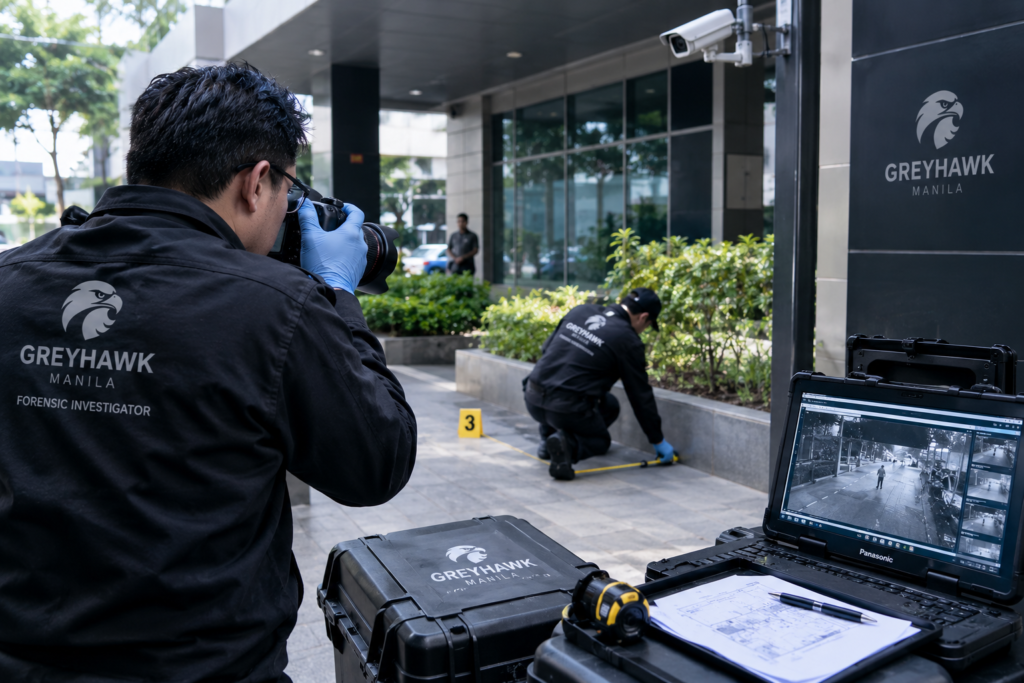
Where permitted, photographs and measurements are collected as evidence or investigative documentation.
2. CCTV Camera Mapping
For video forensic cases, camera mapping is particularly important.
The investigator identifies:
Camera ID
Physical Location
Mounting Height
Orientation
Field of View
Lens Characteristics
Recording System
Storage Location
Network Connection
Time Configuration
Known Blind Spots
This information can then be correlated with the CCTV recording.
Example
Camera C-04
Location: Building entrance
Mounting height: 4.2 m
Orientation: Northeast
Recording system: NVR-01
Coverage: Main driveway and pedestrian entrance
Blind area: Southeast corner
Illustrative example only; actual measurements must come from the site examination.
3. Scene Measurement
Physical measurements can be essential when digital evidence requires quantitative analysis.
Depending on the case, investigators may measure:
- Distance between cameras;
- Camera-to-subject distance;
- Road width;
- Lane width;
- Building dimensions;
- Doorway dimensions;
- Equipment locations;
- Cable paths;
- Network equipment positions;
- Distance between fixed reference points; and
- Other relevant scene characteristics.
Measurements should be recorded with:
- Measurement;
- Unit;
- Method;
- Instrument;
- Date;
- Investigator;
- Reference point; and
- Confidence/limitations.
This is especially important for CCTV speed reconstruction and scene calibration.
4. Physical-to-Digital Correlation
The central objective is to correlate physical evidence with digital evidence.
For example:
Physical Site
Camera C-04
↓
NVR
NVR-01
↓
Digital Evidence
CCTV-E001
↓
Recorded Event
19:36:57
↓
Forensic Analysis
Vehicle movement
↓
Scene Reconstruction
Measured trajectory
This creates an evidence chain connecting the physical camera to the digital recording and the recorded event.
5. Network and Infrastructure Examination
Some investigations require examination beyond the camera itself.
The investigator may document:
- Routers;
- Switches;
- Firewalls;
- Access points;
- Servers;
- NVR/DVR systems;
- Storage devices;
- Network cabinets;
- Patch panels;
- Internet connections;
- UPS systems;
- Physical cable routes; and
- Relevant network architecture.
The purpose is to establish the technical environment from which the digital evidence originated.
For a cyber incident, this can help answer questions such as:
Where was the affected system physically located?
Which network equipment connected the system?
Where was the evidence stored?
Was the device directly connected or remotely accessed?
6. Physical Access Investigation
Digital incidents can sometimes involve a physical-access component.
The investigation may examine:
- Door access;
- Security logs;
- CCTV;
- Visitor records;
- Access cards;
- Server-room access;
- Workstation locations;
- Device placement;
- Physical security controls; and
- Relevant access routes.
The objective is not to assume that physical access occurred.
Instead, the evidence is examined to determine whether physical access is:
OBSERVED
CORROBORATED
INFERRED
or
NOT DETERMINABLE
7. Environmental Conditions
Physical conditions can influence digital evidence.
Examples include:
CCTV
- Lighting;
- Weather;
- Rain;
- Reflections;
- Camera obstruction;
- Night illumination;
- Camera vibration.
Digital equipment
- Power interruption;
- UPS status;
- Equipment overheating;
- Physical damage;
- Environmental contamination;
- Network connectivity.
Incident investigation
- Visibility;
- Road conditions;
- Physical obstructions;
- Line of sight;
- Acoustic environment.
These observations can provide important context when interpreting digital records.
8. Site Investigation for Video Forensics
For collision and incident-video cases, site investigation becomes particularly valuable.
A forensic team may document:
Roadway
- Road width;
- Lane markings;
- Curvature;
- Intersections;
- Shoulders;
- Road surface;
- Drainage;
- Lighting.
Camera
- Height;
- Position;
- Angle;
- Lens;
- Field of view;
- Blind spots.
Physical evidence
- Skid marks;
- Tire marks;
- Debris;
- Gouges;
- Scrapes;
- Vehicle rest positions.
These can then be correlated with the CCTV timeline.
9. Site Investigation and Speed Analysis
One of the most important applications is CCTV-based speed reconstruction.
A video may show a vehicle traveling between two points.
But to calculate speed reliably, investigators need:
Distance
and
Elapsed Time
Therefore:
Speed = Distance ÷ Time
The site investigation can provide the measured distance between appropriate reference points.
The video provides the temporal interval.
Jera 5.0 can then associate:
Start Frame
→
End Frame
→
Elapsed Time
→
Measured Distance
→
Calculated Speed
→
Uncertainty
This is significantly more defensible than estimating speed simply from how fast a vehicle appears to move on screen.
10. Site Investigation and Skid Marks
Physical skid marks can also be correlated with video.
For example:
CCTV
Vehicle begins braking
↓
Physical Scene
Skid mark begins
↓
Measured Evidence
Skid distance
↓
Collision Area
↓
Post-impact trajectory
This does not automatically prove causation.
Instead, it creates an opportunity for independent evidence correlation.
11. Ground Truth vs. Digital Evidence
A major principle of Greyhawk’s methodology is distinguishing between:
DIGITAL OBSERVATION
What the recording shows.
PHYSICAL OBSERVATION
What investigators observe at the scene.
MEASURED EVIDENCE
What can be physically measured.
ANALYTICAL INFERENCE
What can reasonably be derived by applying an appropriate methodology.
This distinction prevents the investigation from mixing assumptions with measurements.
12. Jera 5.0 Site Investigation Integration
The Jera 5.0 Incident Video Forensics workflow can incorporate site-investigation information directly into the case.
SITE MODULE
Site ID
Location
Investigator
Date / Time
GPS / Map Reference
Camera Locations
Reference Points
Measurements
Photographs
Environmental Conditions
Physical Evidence
Scene Diagram
Site Notes
Evidence Links
Site Evidence Correlation
Each physical observation can be linked to digital evidence.
For example:
SITE-E003 — Camera mounting position
linked to
VIDEO-E001 — CCTV recording
linked to
FRAME-E001-F2048 — Key frame
linked to
FINDING-F004 — Vehicle position
This creates a traceable forensic relationship.
13. Digital Twin / Scene Reconstruction
For complex cases, Greyhawk can create a digital representation of the relevant scene.
The reconstruction can incorporate:
- Camera positions;
- Road geometry;
- Buildings;
- Fixed objects;
- Reference measurements;
- Vehicle paths;
- Subject positions;
- Collision area;
- Skid marks;
- Visibility zones;
- Camera field of view.
The reconstruction is an analytical representation, not a replacement for the original scene.
14. Site Photography
Site photographs should be systematically documented.
Examples:
SITE-P001 — Building exterior
SITE-P002 — Camera C-04
SITE-P003 — NVR cabinet
SITE-P004 — Roadway reference point
SITE-P005 — Skid mark
SITE-P006 — Camera field of view
Each image can be associated with:
- Evidence ID;
- Location;
- Date/time;
- Photographer;
- Description;
- Hash where applicable;
- Related evidence.
15. Chain of Custody
Physical evidence and digital evidence should be handled under appropriate evidence-control procedures.
Jera 5.0 can record:
Collected
↓
Received
↓
Stored
↓
Examined
↓
Copied
↓
Processed
↓
Analyzed
↓
Derived Exhibit Created
↓
Reviewed
↓
Reported
The system should preserve an audit trail showing who performed each action and when.
16. AI-Assisted Site Analysis
AI can assist with organizing site information, including:
- Photograph categorization;
- Camera identification assistance;
- Scene-object classification;
- Evidence correlation;
- Timeline association;
- Potential obstruction identification;
- Scene documentation;
- Report drafting.
However, AI should not independently determine:
- Exact measurements;
- Physical ownership;
- Identity;
- Intent;
- Fault;
- Negligence;
- Cause of an incident; or
- Facts that are not actually supported by the evidence.
All AI-assisted observations require examiner review.
17. Why Site Investigation Strengthens Digital Forensics
A digital file tells investigators what was recorded.
A site investigation helps explain:
Where it was recorded.
How it was recorded.
What physical conditions existed.
What infrastructure supported the recording.
Which physical measurements can validate the digital analysis.
Together:
Digital Evidence + Physical Evidence + Technical Analysis = Stronger Evidence Correlation
Greyhawk Manila’s Site Ground Investigation Workflow
01 — CASE INTAKE
Define the investigative question.
02 — SITE AUTHORIZATION
Establish authority and scope.
03 — SITE PRESERVATION
Identify relevant physical evidence.
04 — SCENE DOCUMENTATION
Photographs, measurements and observations.
05 — INFRASTRUCTURE MAPPING
CCTV, network, servers and devices.
06 — DIGITAL EVIDENCE IDENTIFICATION
Identify relevant recordings and systems.
07 — EVIDENCE ACQUISITION
Acquire evidence using controlled procedures.
08 — HASH & INTEGRITY
Verify digital evidence.
09 — DIGITAL EXAMINATION
Analyze the recordings and devices.
10 — SCENE CALIBRATION
Connect measurements with digital evidence.
11 — EVIDENCE CORRELATION
Connect physical and digital evidence.
12 — RECONSTRUCTION
Develop the analytical event sequence.
13 — FINDINGS
Classify observations and conclusions.
14 — PEER REVIEW
Review methodology and findings.
15 — FINAL REPORT
Produce the evidence-linked forensic report.
A Modern Digital Forensic Investigation Is Both Physical and Digital
Digital forensics is sometimes imagined as an investigator sitting behind a computer examining files.
Modern investigations can be much broader.
A forensic examiner may need to examine:
The device
The network
The camera
The building
The roadway
The physical evidence
The environment
The timeline
and finally:
the relationship between all of them.
That is the purpose of Site Ground Investigation.
Greyhawk’s Principle
“Investigate the evidence where it exists—not only where it is stored.”
Through Greyhawk Manila’s Digital Forensics and Jera 5.0 Incident Video Forensics, physical-site information can be incorporated into a structured evidence workflow, allowing investigators to correlate the real-world scene with the digital record.
Site → Evidence → Analysis → Correlation → Reconstruction → Findings
Greyhawk Manila
Greyhawk Forensics & Cybersecurity
Digital Forensics • Cybersecurity • Video Forensics • AI Forensics • IoT Forensics • Reverse Engineering